
Budgeting that gets
out of your way
Plan your month, track your spending, and see where your money goes — all in one clean interface. No spreadsheets, no complexity.
Everything you need, nothing you don't
Multiple Budgets
Create separate budgets for different purposes — monthly household, vacation fund, side project. Switch between them instantly.
Sections & Categories
Organize your budget with sections (groups like "Housing", "Food") and categories (line items like "Rent", "Groceries"). Structure it however makes sense to you.
Transaction Tracking
Log expenses and income as they happen. Assign transactions to categories and watch your remaining balances update in real time.
Split Transactions
One purchase, multiple categories. Split a grocery run between "Food" and "Household" without logging two separate transactions.
Shared Budgets
Share a budget with your spouse, partner, or roommate via QR code. Everyone sees the same data in real time via Supabase sync.
Analytics
Pie charts break down your income and expenses by category. See exactly where your money goes at a glance.
Copy Budget Outlines
Start a new month by copying your existing structure — sections, categories, and amounts carry forward so you don't rebuild from scratch.
CSV Export
Export your budget data to CSV anytime. Your data belongs to you — take it wherever you want.
PWA — Works Everywhere
Install on your phone's home screen for a native app feel. No app store required. Works on iOS, Android, and desktop.
Dark & Light Themes
Switch between dark and light mode. Budget at midnight or over morning coffee — it looks great either way.
Offline Capable
Service worker caching means the app loads instantly, even on spotty connections. Auto-update prompts keep you current.
Private & Secure
Row-level security in Supabase means only you (and people you share with) can access your budget data. We never sell your info.
See it in action
A clean, mobile-first interface designed for quick daily use.
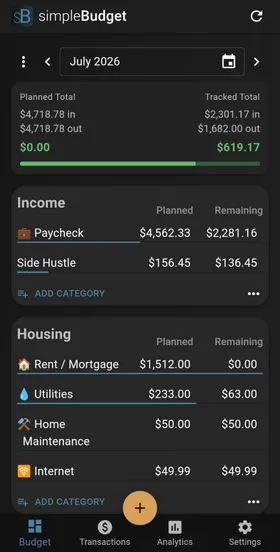 Budget overview
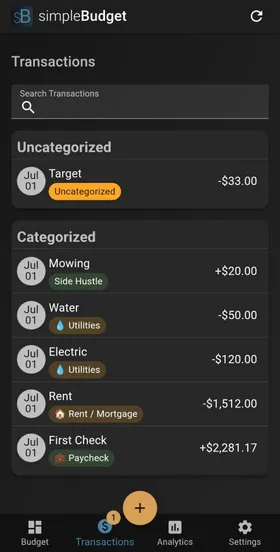 Transactions
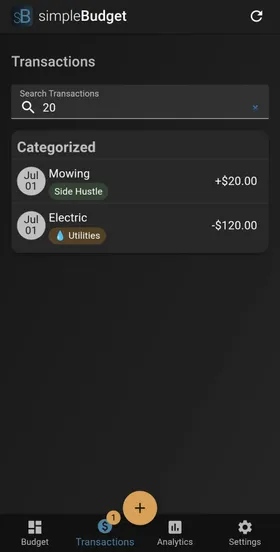 Search & filter
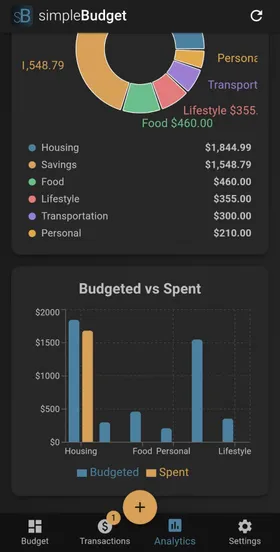 Budget vs. spent
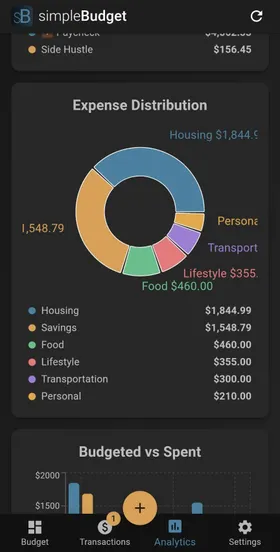 Expense breakdown
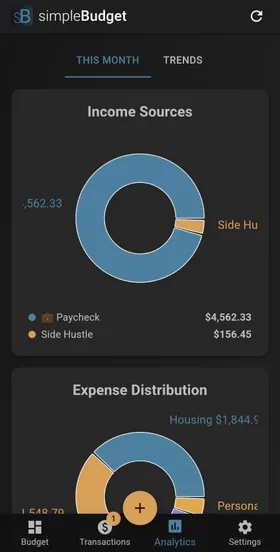 Income breakdown
 Share via QR
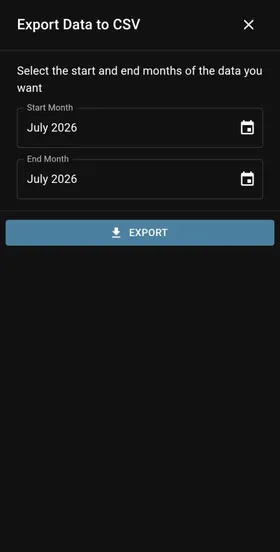 CSV export
Up and running in 2 minutes
Create your budget
Name it and start adding sections and categories. Use income and expense groups to plan your month.
Set your amounts
Assign dollar amounts to each category. See your planned income vs. expenses at a glance.
Track as you spend
Add transactions throughout the month. Watch your remaining balances update in real time.
Review & repeat
Check analytics to see where money went, copy the budget outline to next month, and keep improving.
Built with modern tools
Open source under AGPL-3.0. Self-host it or use the hosted version.
Ready to take control of your money?
Free to start, no credit card required.